

A March 2026 study in Scientific Reports found that professionals who copy-pasted AI output rated their own ability, ownership and sense of meaning lower than people who worked without AI, and the dip in confidence was still there when they went back to working by hand. People who drafted first and then used AI to refine showed no such drop. The fix is not less AI, it is the order of operations. Jan Schlie's three-tier context file puts your judgment in first, once, so every AI answer starts from your rules instead of the model's defaults. The template is below.
Most advice on AI at work is about output. A study in Scientific Reports on 15 March 2026 asks what the way you use AI does to you, the person who has to sell that work next month. The answer is uncomfortable for anyone who pastes a client email into a chatbot and forwards the reply. It is also fixable, in about three hours.
What the study measured
Elena Hayoung Lee, Yidan Yin, Nan Jia and Cheryl Wakslak ran an experiment with 269 professionals (consultants, analysts, HR, managers, marketers) plus a follow-up survey with 270 more. Participants did occupation-specific writing tasks in one of three conditions:
- No AI Use. Write it yourself.
- Copy and Paste AI. Take the AI output as your answer.
- First Human Then AI. Draft yourself, then use AI to refine.
They measured self-efficacy (how capable you feel), psychological ownership (how much the work feels like yours) and meaningfulness. Copy-paste scored lowest on all three. Self-efficacy averaged 5.16 against 5.63 for the no-AI group and 5.43 for draft-then-AI (p = 0.030). Psychological ownership fell hardest: 4.35 for copy-paste versus 5.34 without AI and 5.26 for draft-then-AI (p < 0.001). Meaningfulness: 4.94 versus 5.54 and 5.46 (p = 0.006).
Two things matter more than the decimals. The draft-then-AI group landed close to the no-AI group on every measure: using AI did not cost them confidence or ownership, using it passively did. And from the abstract, the "declines in efficacy and meaningfulness" were "persisting even when participants returned to manual work." The dip walked out of the session with them.
A fair caveat: a lab experiment on writing tasks with US professionals, and the gaps are moderate differences on seven-point scales, not collapses. But confidence and ownership are what a freelancer brings to the next pitch and the next rate conversation.
"Everyone is already ahead of you" is mostly wrong
The other reason people copy-paste is panic: everyone else is already running on AI, so catch up fast and skip the careful part. The data does not support it. An NBER working paper from August 2026 by Alexander Bick, Adam Blandin, David Deming and Tyler Schumacher, based on a nationally representative US survey, describes generative AI adoption at work as "widespread but shallow: genAI is used across many occupations and tasks, yet within most of them, fewer than half of workers adopt." They also find "substantial variation among workers doing very similar work." It is a working paper on US data, so a signal, not a DACH figure.
The closest DACH figure agrees. In the freelance.de Freelancer-Studie 2026 (more than 3,300 participants, fieldwork January to March 2026), 53% of freelancers use AI daily, up from 51% a year earlier. Half, and barely more than last year. The edge is not adopting faster. It is adopting in the order that keeps you the author.
Context beats prompts: Jan Schlie's method
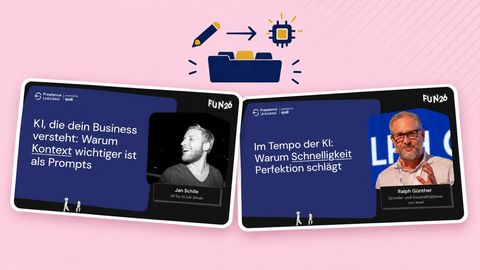
Jan Schlie, VP of AI at Jimdo and a former one-person agency owner, spent his Freelance Unlocked 2026 session on this order of operations. His description of how most freelancers use AI is the copy-paste condition, word for word:
"I get an email as a self-employed person with a request for a new project. I open the AI tool, I copy the email in and then I get an answer back. That is direct prompting. I put one piece of information in and get a standard answer. That knows nothing about my company, it does not know my pricing. This answer is basically useless, because it is supposed to save me time, but actually it creates more work." (Jan Schlie, translated)
His demo used a fictional freelancer, Mark Hoffmann, web developer, five years solo, Hamburg, €720 day rate. A mid-sized machinery firm writes: "we want a simple CRM", already using Excel, Outlook and HubSpot, and by the way, "my brother-in-law is also a software developer, he could help."
Same request, three levels of context. Without context: a "very nicely worded answer with a few standard questions, so super polite, but general and generic." With a short profile file, the tone changed and the model steered toward consulting, but "the brother-in-law is not seen as a red flag." With the full package, pricing, red flags, decision rules and offer, the model opened with an assessment: no proposal, invite to a discovery call, the request contains several warning signs, CRM development next to HubSpot in six to eight weeks and the brother-in-law as co-developer are typically far more complex than they sound.
"If I have documented it, the AI can recognise the risks in project requests. Then suddenly it speaks in my voice. I don't have to correct it. I can identify more with the answers, because I feel seen and recognise myself." (Jan Schlie, translated)
That is the study's ownership finding, seen from the other side. Your judgment goes into the context file first; every answer after that refines your rules instead of replacing them.
Schlie estimates about three hours for the initial setup, and says it never finishes: "I think you have to get into the mode where the setup is never done, but keeps developing and lives." Each evening he reviews the day's AI sessions and updates the file. And nothing goes out unread: "What I let the AI do is write the draft. I look at it, improve it and then send it out, but I don't let it send blind."
The three-tier context file (template)
Build it once, keep it in the project or knowledge feature of your tool, revise weekly. Write it in your own words. That is the point.
Tier 1: Profile. Who I am and what I sell.
- Name, role, years solo, location and market (a developer in Hamburg does not charge Zurich rates, as Schlie put it).
- Services I sell, in the words I use with clients.
- Services I do not sell, and where I send those requests.
- Typical clients: size, sector, who signs.
Tier 2: Decisions. How I choose and what I charge.
- Day rate, hourly rate, minimum project size, payment terms.
- What I decline and why (Schlie's example: a custom build for something a €50-a-month tool already does).
- Red flags: price talk in the first message, "simple" plus an enterprise-sized scope, a relative who "can help", unrealistic deadlines.
- The kind of work I want more of.
- Standing instruction: when a request matches a red flag, say so first and recommend a discovery call instead of a quote.
Tier 3: Voice. How I sound and what I reuse.
- Three real emails I was happy with, as tone samples.
- Standard replies: first response, proposal follow-up, scope-change pushback, rate increase.
- Words I never use, formatting rules, greeting and sign-off.
Maintenance line at the top: "Last updated on [date]. After every session that produced a wrong answer, add the missing rule here."
Test with a real request from your inbox. If the answer is still generic, the file is missing a decision, not a prompt.
Build it like a prototype, not a strategy
The temptation is to perfect the file before using it. Ralph Günther, founder and CEO of the freelancer insurer exali, told the audience how that went for his company. After a year of planning and a slide-perfect AI strategy, "the first two things from the strategy that we implemented did not work at all." What worked was never on the plan: an email agent he now calls revolutionary for the firm.
"In times of AI, iterations are no longer the big problem. What used to work in months sometimes works in weeks. We even have cases where it takes days." (Ralph Günther, translated)
His conclusion matches Schlie's: start, get feedback, adjust. He quoted Andrew Bosworth of Meta: trying something, learning quickly and iterating is far less risky than planning everything in advance. And he left one question, borrowed from an IKEA ad: "Are you still perfecting, or are you already testing?"
For your context file: a rough Tier 1 and 2 tonight, tested on one real email tomorrow, beats a complete document in three weeks. Every wrong answer is a missing line.
Where this leaves you
Put your thinking in first, in writing, once, and let the model work from it. You stay the author. For a mature version across a whole workflow, read Julien Look's AI workflows for freelancers. Once your AI output sounds like you, the question of whether to tell clients comes up; the research is in should freelancers disclose AI use. And to build a full assistant on top of a context file, two freelancers show their setups and real costs in build your own AI assistant.
What to do on Monday
- Take your last AI-assisted client reply. Did you draft it, or paste it? That is your baseline.
- Write Tier 1 and Tier 2 of the context file in 45 minutes. Bullet points, your words, no polish.
- Load it into your AI tool and run one real request from your inbox through it. Note what it gets wrong.
- Add the missing rules, and book 15 minutes every Friday for the same review.
- Adopt Schlie's rule for a month: the model drafts, you edit, you send. Nothing goes out unread.
Clients who notice the difference between a freelancer who thinks and one who forwards are the ones worth keeping. A free 9am profile puts you in front of companies across DACH looking for exactly that.
Freelance Unlocked is co-organized by 9am together with Uplink and freelancermap. This article draws on the sessions of Jan Schlie and Ralph Günther at Freelance Unlocked 2026. Watch the full talks above, and join us at the next edition: freelanceunlocked.com.